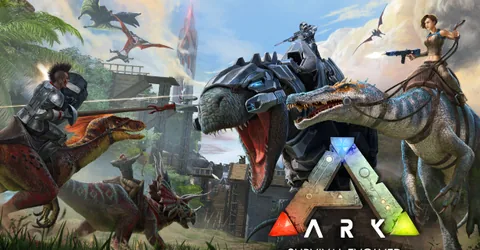
ARK: Survival Evolved is the original ARK, and for many tribes it is still the one they play. It has years of Steam Workshop mods behind it, a long list of official maps, and it needs far less memory than Survival Ascended for the same number of players. If your group is happy on Evolved, it remains the better value way to run a private ARK world. This guide covers how much memory to buy, how Workshop mods and clusters work, and the settings worth changing, then shows how to launch a server on GGHOST Cloud.
What you are hosting
The Evolved dedicated server is a separate program from the game, installed through SteamCMD, and it runs natively on Linux. Each server process loads one map and simulates every creature, structure and resource node on it. The world is saved to ShooterGame/Saved/SavedArks, and settings live in ShooterGame/Saved/Config/LinuxServer.
All the official maps are available, from The Island through Genesis, and community maps can be uploaded over SFTP. If you want more than one map with travel between them, you run one server per map and join them into a cluster.
How much RAM does an ARK: Survival Evolved server need?
Memory use depends on the map, how many tames and structures exist, and how many mods you load. These are the figures we size Evolved at:
- Up to 20 players, a single map with light mods: 8 GB. A tribe of friends sits comfortably here.
- 20 to 70 players, a single modded map: 16 GB. Typical community servers with a solid mod list.
- A cluster: 24 GB and up. Each map in the cluster needs its own memory, so size for every map running at once.
Like any ARK server, Evolved gets heavier as it ages. Breeding programmes and large tribe bases are the main reasons memory creeps up over months. If the panel shows memory above about 80% at peak, size up or tidy the map.
On GGHOST Cloud you pay for memory, not player slots. The player cap is a setting you choose, not a line on the invoice.
Vanilla, Workshop mods and clusters
We support Vanilla, Steam Workshop mods and clustered maps.
Vanilla
The game as Studio Wildcard ships it. Rates, difficulty and most gameplay rules are still fully adjustable through the config files.
Steam Workshop mods
Evolved has one of the deepest mod libraries of any survival game: structure packs, quality-of-life tweaks, new creatures and whole total conversions. On our panel, you add Workshop mod IDs to a startup variable and they install and update automatically when the server boots. Under the hood, the active list is the ActiveMods line in the [ServerSettings] section of GameUserSettings.ini, and the order can matter when two mods change the same thing.
Players need the same mods on their side as well, so a long list also means a long first download for anyone new to the server.
Clustered maps
A cluster lets players upload characters, items and creatures on one map and download them on another. Every server in the cluster needs the same -clusterid and the same shared cluster directory, set with -ClusterDirOverride. If either one differs, transfers will not appear.
Settings worth changing
Stop the server before editing config files, because ARK can write its settings back on shutdown. Both files are in ShooterGame/Saved/Config/LinuxServer and can be edited from the panel’s file manager.
GameUserSettings.ini
The [ServerSettings] section covers what most owners change:
SessionName,ServerPasswordandServerAdminPassword: the browser name, the join password and the admin password.XPMultiplier,TamingSpeedMultiplierandHarvestAmountMultiplier: the rates. Small groups often raise these so progress keeps pace with limited play time.DifficultyOffset: with the difficulty override, this sets the highest level wild creatures can spawn at.
Game.ini
Breeding and maturation speeds, per-level stat multipliers and engram overrides live here. Change one thing at a time, restart and check it applied.
Performance habits that help
- Schedule a daily restart. It clears long-running memory growth and is a good time to apply updates. Set it up as a scheduled task in the panel, with an announcement beforehand.
- Keep the mod list lean. Every mod adds memory, boot time and another thing that can break after an update. Remove mods nobody uses.
- Control tame numbers. A per-tribe tame limit stops one breeding programme from weighing down the whole server.
- Save before manual shutdowns. Run
SaveWorldfrom the admin console first, so nothing since the last autosave is lost.
To use admin commands in game, open the console and run EnableCheats followed by your ServerAdminPassword.
Mods: installing them safely
- Add mods in small batches, so a failed boot points at the culprit.
- Do not remove a mod mid-save without a backup. Creatures and structures from a removed mod can disappear from the world.
- Check the console after updates. If a mod falls behind a game update, it can stop the server from loading the map.
Backups and saves
Everything that matters is in ShooterGame/Saved. On GGHOST Cloud, backups run on a schedule you set and restore from the panel without a ticket. Take a daily backup, plus a manual one before any mod change or map switch. If you are moving from another host or from a single-player world, upload your saved folder over SFTP or the file manager and point the server at the same map.
Launching your ARK: Survival Evolved server on GGHOST Cloud
- Pick a plan on the ARK: Survival Evolved page: choose memory from the sizing above and the region closest to your players. Singapore and Europe (France–Germany border) are live today, with the United States (East, Central and West), the United Kingdom, India, Japan and Australia available on demand.
- Check out. Where a node in your region has room the server is created within seconds; in regions where we add capacity for you it is usually ready within 2 hours (24 hours at most).
- Set your options in the panel: map, server name, passwords, player cap and Workshop mod IDs. Start the server and let the first boot finish downloading and loading the map.
- Share the address. The address and port are shown in the panel; players can also find the server by name in the unofficial server list.
You get our Pterodactyl panel: live console, file manager, SFTP, scheduled tasks, sub-users for your admins and database access. Every node is behind DDoS protection from our network providers, on every plan, and there is no setup fee or contract. If you need help, the people who run the servers answer on Discord and at hello@gghost.cloud.
The short version
Start at 8 GB for a group of friends and 16 GB for a modded community map, and add memory per map if you cluster. Add Workshop mods by ID and keep the list lean, give every clustered server the same cluster ID and directory, restart daily and back up before every change. Evolved is lighter than Ascended, and a well-kept server will run for years.