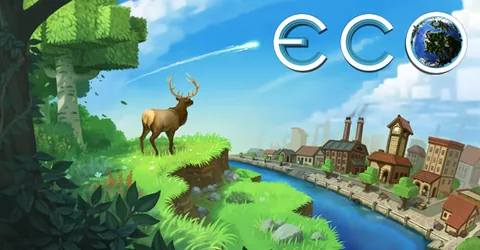
Eco is a game about building a civilisation without destroying the planet it lives on. Players gather, farm, craft and trade, set up governments and laws, and have to work together to stop a meteor before it hits. All of that lives on a shared server that keeps simulating the world, its plants, animals and economy, whether anyone is online or not. That makes hosting choices matter more than in most survival games. A good Eco server comes down to choosing the right world size up front, getting the config files right, and protecting a save that can represent weeks of shared work. This guide covers each one, then explains how we set a server up for you on GGHOST Cloud.
How an Eco server works
Strange Loop Games publishes a dedicated server for Eco. It generates or loads a world and runs the full simulation: terrain, ecosystems, players, buildings, the economy and the in-game government. Players join through the in-game server browser or by address.
The server is configured through a set of .eco files in its Configs folder, and the world itself is saved in the Storage folder. The config files you will use most:
Network.eco: the server name, password, visibility in the server browser and maximum connections.WorldGenerator.eco: world size, seed and biomes. These only apply when a new world is generated.Difficulty.eco: skill costs, experience multipliers and other difficulty modifiers.Disasters.eco: the meteor, including whether it is created and how many days until impact.Users.eco: the admin list and whitelist.
Edit with the server stopped
Eco writes its configuration back to disk when it shuts down. If you edit a config file while the server is running, your changes are overwritten when it stops. Always stop the server, edit, then start it again. You can do all three from the panel’s console and file manager.
How much RAM and CPU does it need?
Eco does not have a fixed table, because the load depends on choices you make before launch. What drives memory and CPU:
- World size. Every block of terrain and every plant and animal in it is simulated. A larger world takes more memory and more work to save.
- How far the civilisation gets. Late-game worlds have far more buildings, machines, roads and stored items than a fresh one.
- Player count. More players means more activity in more places at once.
- Mods. Some mods add new systems that run alongside the simulation.
Because the world keeps simulating while everyone is offline, memory headroom matters more than peak clock speed on Eco. Tell us your intended world size, mods and expected player count, and we size it with you.
On GGHOST Cloud you pay for memory, not player slots. The maximum connections in
Network.ecois a setting you choose, not something we bill for.
Choosing your world settings
Most of the long-term shape of your server is decided before the first player joins.
World size and seed
Set these in WorldGenerator.eco before the first start. Changing them later means generating a new world. Smaller worlds push players together, which suits Eco’s collaboration focus and keeps the simulation lighter; larger worlds give room for more players and more spread-out settlements.
The meteor
The meteor is what gives an Eco world its deadline. In Disasters.eco you decide whether it is created and how many days players have before it strikes. Shorter timers make for intense, focused worlds; longer ones suit slower communities who want to build a full economy.
Difficulty and progression
Difficulty.eco controls how quickly players gain skills and experience. Faster progression suits short worlds and smaller groups; slower progression encourages specialisation and trade on bigger servers.
Mods
Eco supports mods, and mod.io is the usual place to find them. Server mods go into the server’s Mods folder; the server detects and loads them when it starts.
- Check the mod matches your game version. Eco updates can change the systems mods depend on, and an outdated mod can stop the server loading.
- Add mods before launch where you can. Adding or removing mods on a world that is weeks old can leave items, recipes or buildings in a broken state.
- Read the console after starting. Load errors show up there straight away.
Performance and stability tips
- Pick a world size for your real player count. An oversized world for a small group means more to simulate and save, and fewer players meeting each other.
- Restart on a schedule. A daily restart at a quiet hour, announced in advance, keeps a long-running world healthy. Set both as scheduled tasks in our panel.
- Keep admins on the list. Add trusted players to the admin list in
Users.ecoso someone can deal with problems when you are not around. - Use a whitelist for private worlds. Also in
Users.eco, with the server password inNetwork.ecoas a second layer.
Backups and keeping the world safe
An Eco world is a shared project: governments, laws, an economy and a planet that players have spent weeks protecting. Losing it to a bad update or a corrupted save is the worst outcome a server can have.
On GGHOST Cloud, backups run on a schedule you set and restore from the panel without opening a ticket. Make sure the Storage folder, which holds the world, and the Configs folder are both covered, and take a manual backup before game updates and before adding or removing mods. If you are moving from another host or a local server, upload your Storage and Configs folders over SFTP and we can bring the world back up as it was.
Getting your Eco server on GGHOST Cloud
Eco is set up on request at the moment, rather than ordered through checkout.
- Ask us on Discord (or open a ticket) with your planned world size, mods and expected player count, and whether you are bringing an existing world.
- We size it and quote a monthly price based on what you plan to run.
- We set it up on our Pterodactyl panel, usually within a few days. Singapore and Europe (France–Germany border) are live today; the United States (East, Central and West), the United Kingdom, India, Japan and Australia are available on demand.
- Connect. Your server address and port are shown in the panel; players join from the in-game server browser or by address.
You get the full panel: live console, file manager, SFTP, scheduled tasks for restarts and announcements, sub-users for your admins and database access. Every node is behind DDoS protection from our network providers, on every plan, and you can change the server build, game version or startup flags from the panel and restart. No setup fee, no contract; billing is at app.gghost.cloud, and support comes from the people who run the servers, on Discord and at hello@gghost.cloud.
The short version
Decide your world size, meteor timer and difficulty before launch, because some of them cannot change on a running world. Always stop the server before editing its .eco files, add mods from mod.io before the world gets old, and back up Storage and Configs before every update or mod change.