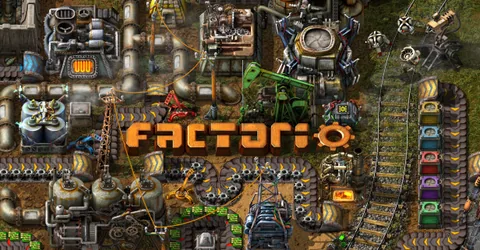
Factorio multiplayer is a different game from single player. A group can split the work, one person on the main bus, one on trains, one on defences, and build a factory far bigger than any of them would alone. A dedicated server keeps that factory available for everyone, any time, without the host leaving their PC on. This guide covers what makes a Factorio server fast, how much memory it needs, the settings worth changing, mods and Space Age, saves, and how to get a server running on GGHOST Cloud.
What you are hosting
The Factorio dedicated server is the headless version of the game: the full simulation, with no graphics. It loads a save, runs every assembler, inserter, belt, train and biter, and keeps every connected player in step. Factorio is deterministic: every player’s game runs the same simulation, and the server keeps them in sync. That is why the server and every player need exactly the same game version and mods.
Factorio is almost purely single-threaded, so clock speed decides your UPS (updates per second). The game aims for 60 UPS; when the factory gets too big for the CPU to keep up, UPS drops and everything slows down for everyone. A fast core matters more than anything else here, more than memory and more than core count.
A headless server needs a save to start. It can create one with --create, using map-gen-settings.json and map-settings.json for the map options, and then run it with --start-server. You can change the server build, game version or startup flags from the panel and restart.
How much RAM does a Factorio server need?
Factorio is light on memory compared with most games we host. This is the figure we size servers at:
- Up to 16 players: 4 GB. Large modpacks want 8 GB.
Memory rarely limits a vanilla Factorio server; UPS does. Mods are what change that. Big overhaul packs add many new items, recipes and entities, and they need the extra headroom. If you are bringing a large modded save, tell us the mod list and we size for it.
On GGHOST Cloud you pay for memory, not player slots.
max_playersis a setting you choose, not a line on the invoice.
Settings in server-settings.json
The server reads most of its options from server-settings.json, which you can edit in the panel’s file manager. Restart after changing it. The keys worth knowing:
nameanddescription: how the server appears in the server browser.visibility: whether the server is public, LAN-only or hidden. A public listing needs a Factorio.com account or token.game_password: a join password for a private group.max_players: the player limit.0means no limit.require_user_verification: checks players’ Factorio.com accounts. Keep it on for any public server.autosave_intervalandautosave_slots: how often the server autosaves, in minutes, and how many autosaves it keeps in rotation.auto_pause: pauses the game when nobody is connected, so the factory and the biters wait for you.
Admins
Admins are listed in server-adminlist.json. From the console, /promote <name> makes a player an admin and /admins lists them. Use /server-save to save immediately before a risky change, and /whitelist add <name> if you want only named players to join.
Mods and Space Age
Mods from the portal
Factorio mods come from the official mod portal. On the server they go in the mods folder, and mod-list.json in the same folder decides which are enabled. Upload mods through the panel’s file manager or over SFTP, restart, and check the console.
Because Factorio is deterministic, the server and every player need exactly the same mods at the same versions. When a player joins with different mods, the game compares them with the server. A save also remembers its mods, so the simplest approach is to keep the server’s mod list as the reference for your group.
- Back up before updating mods. A mod update can change recipes or remove items in an existing save.
- Add mods to a new save where you can. Some overhaul mods are designed to start from a fresh map.
Space Age
Space Age is Factorio’s expansion, and it needs the 2.0 version of the game. On a server it is enabled through mod-list.json, along with the two built-in parts that come with it, quality and elevated-rails. Every player who joins a Space Age server needs to own the expansion. Decide before you start: a save created with Space Age cannot simply have it turned off later.
Keeping UPS high
- Watch UPS, not memory. The in-game debug options show UPS. If it starts falling below 60 as the factory grows, the factory is outgrowing the CPU.
- Fewer, bigger machines. Beacons and modules reduce the number of entities doing the same work, which is easier on the simulation.
- Trains over very long belts. Long belt lines full of items are expensive to update.
- Keep biters in check. Huge expanding biter nests and constant attacks cost update time. Pollution control and defended borders help.
- Pause when empty.
auto_pausestops the server running an empty factory.
Backups and saves
Factorio saves are single .zip files, which makes them easy to back up and move. The server’s own autosaves are a good safety net. On GGHOST Cloud, backups run on a schedule you set on top of that, and restore from the panel without opening a ticket. Take a manual backup or /server-save before mod updates and game updates.
To bring an existing factory over, upload the save .zip and your mods folder over SFTP, point the server at the save, and restart.
Getting a Factorio server on GGHOST Cloud
Factorio is set up on request, not through checkout yet.
- Ask us. Message us on Discord (or open a ticket) with the build (vanilla, a mod portal pack or Space Age), mods and player count you need, and where your players are. Singapore and Europe (France–Germany border) are live today; the United States (East, Central and West), the United Kingdom, India, Japan and Australia are available on demand.
- We size it and quote. We recommend the memory for your mods and save and quote a monthly price. There is no setup fee and no contract, and billing is at app.gghost.cloud.
- We set it up. We build the server on our Pterodactyl panel, usually within a few days, with your save and mods in place.
- Share the address. The address and port are shown in the panel. Players choose Multiplayer → Connect to address and join.
You then have the full panel at panel.gghost.cloud: a live console, file manager, SFTP, scheduled tasks for restarts and announcements, sub-users for your group, and database access. Every node is behind DDoS protection from our network providers, on every plan. Support comes from the people who run the servers, on Discord and at hello@gghost.cloud.
The short version
4 GB runs most Factorio servers, and 8 GB covers large modpacks. UPS, not memory, is the real limit, so build efficiently as the factory grows. Set your options in server-settings.json, keep the server and players on exactly the same version and mods, decide on Space Age before you start, and back up before updates. The factory must grow, and the server will keep up.