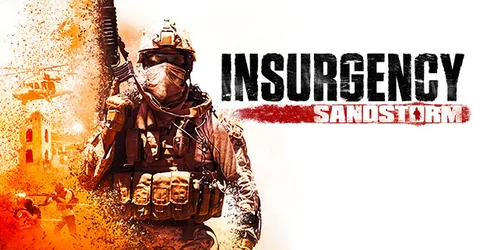
Insurgency: Sandstorm is at its best with a group that knows what it is doing: co-op Checkpoint against bots with friends, a hardcore community server, or a PvP server with your own rotation and rules. Running your own dedicated server gives you that control, and Sandstorm’s server is well documented once you know where things live. It is an Unreal Engine 4 game, so instead of Source-style console variables you work with launch parameters, a few .ini files and two plain text lists. This guide walks through them, then explains how we set a server up for you on GGHOST Cloud.
How a Sandstorm dedicated server works
A Sandstorm server runs the match for everyone: players, bots, ballistics, objectives and the round flow. It starts from a launch command that names the first map and mode (the travel URL) and points to your config files. Everything else, from your map rotation to your admin list, hangs off that command.
To list your server on the internet, set a Steam Game Server Login Token (GSLT). You create it on Steam’s game server account management page for Insurgency: Sandstorm and pass it with the -GSLTToken= parameter. Each server needs its own token. Treat it like a password.
What drives CPU and memory use
We do not publish a fixed sizing table for Sandstorm, because the load depends on how you run it. The main factors are:
- Player count. More players means more movement, gunfire and network traffic to process.
- Bots. Co-op modes fill the opposing side with AI, and bots cost CPU time like players do. A busy co-op server can be heavier than a PvP server with the same human count.
- Mods. Custom maps and gameplay mods can add both memory and CPU load.
Tell us the modes, mods and player count you want, and we size it with you. You pay for memory, not player slots; the player limit is a setting you choose.
Server config essentials
The config files
Sandstorm splits its configuration across two places:
Insurgency/Config/Server/holds the plain text lists, such as your admin list and map cycle.Insurgency/Saved/Config/LinuxServer/holds the.inifiles, includingGame.ini(game rules) andEngine.ini.
Edit them from the panel’s file manager or over SFTP, then restart.
Game modes
Sandstorm’s main modes split into PvP (such as Push, Firefight, Skirmish, Domination and Frontline) and co-op against bots (such as Checkpoint and Outpost). Rules for each mode, including round counts, timers and bot settings, are set in Game.ini.
Map cycle
The rotation is a text file passed with -MapCycle=. Each line is a scenario, which combines a map, a mode and a side, for example Scenario_Farmhouse_Checkpoint_Security. You can also write entries with options such as lighting, in the form (Scenario="...",Lighting="Day").
Admins
Admins are listed in a text file passed with -AdminList=, with one SteamID64 per line. Keep it short, and remove people when they step down.
Keep a copy of your
Game.ini, map cycle and admin list together. They are the three files that make your server yours, and a backup of just those three restores most of your setup.
Mods on Sandstorm
Sandstorm’s mods are hosted on mod.io, not the Steam Workshop. A modded server needs:
- A mod.io access token, added to
Engine.iniunder the[/Script/ModKit.ModIOClient]section, along with accepting mod.io’s terms (bHasUserAcceptedTerms=True). - The
-Modslaunch parameter. - A
Mods.txtfile inInsurgency/Config/Server/with one mod ID per line.
Players who join download the server’s mods automatically. To start the server on a custom map, the map’s scenario goes in the launch command and map cycle like any other.
Performance and fair-play tips
- Pick the region closest to your players. Ping matters for gunfights. Our live regions today are Singapore and Europe (France–Germany border), with the United States (East, Central and West), the United Kingdom, India, Japan and Australia on demand.
- Tune bot counts for co-op. More bots means more CPU time. Raise the count gradually and watch how the server behaves when it fills up.
- Restart on a schedule. A daily restart at a quiet hour keeps a long-running server fresh and picks up updates. Set it as a scheduled task in the panel.
- Keep the admin list tight and give helpers their own panel sub-user rather than sharing your login.
- Add mods one at a time. If a new mod breaks the server, you know which one it was.
Adding mods and maps safely
Most mod trouble comes from two things: a mod that has not been updated after a game patch, and a scenario name typed slightly wrong in the map cycle. After any change, restart and read the console. If the server fails to load a map, check the scenario name first. Take a backup from the panel before big changes so you can roll back.
Backups
On GGHOST Cloud, backups run on a schedule you set and restore from the panel without opening a ticket. For Sandstorm, the files to protect are your configs, map cycle, admin list and mod list. A daily backup plus a manual one before each change is plenty. Moving from another host means uploading those files over SFTP.
Getting a Sandstorm server on GGHOST Cloud
Insurgency: Sandstorm is set up on request rather than through instant checkout:
- Tell us what you need. Ask us on Discord (or open a ticket) with the game mode, maps or mods and player count you need.
- We size it and quote. We work out the memory and CPU headroom for that setup and quote a monthly price. No setup fee, no contract; billing runs through app.gghost.cloud.
- We set it up on our Pterodactyl panel, usually within a few days.
- Add your token and share the address. Set your GSLT, start the server, and give players the address and port shown in the panel.
You then have the full panel at panel.gghost.cloud: live console, file manager, SFTP, scheduled tasks, sub-users and database access. You can change startup flags, including your starting map and mode, from the panel and restart. Every node is behind DDoS protection from our network providers, and support comes from the people who run the servers, on Discord or at hello@gghost.cloud.
The short version
Set a GSLT with -GSLTToken=, keep game rules in Game.ini, build your rotation from scenario names in the map cycle, and list admins by SteamID64. For mods, add a mod.io token to Engine.ini, use -Mods and list IDs in Mods.txt. Back up before changes, restart on a schedule, and ask us on Discord when you want a server set up.