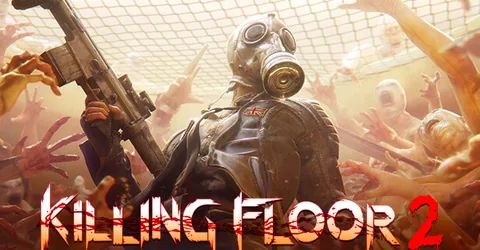
Killing Floor 2 is built for a regular group: six players, a difficulty you have not beaten yet, and a map cycle full of custom maps the community has made over the years. Running your own server means you choose the mode, difficulty, length and rotation, and nobody leaves halfway through a hard wave because they were the host. The server runs on Unreal Engine 3 and is configured through .ini files and a built-in web admin panel. This guide covers how it works, the settings that matter, workshop maps, and how we set one up for you on GGHOST Cloud.
How a KF2 dedicated server works
A KF2 server runs the whole match: the players, every Zed in each wave, the trader between waves and the boss at the end. The work grows with the number of Zeds on screen, so longer games, harder difficulties and modes that spawn more enemies push the server harder than the player count alone suggests.
Configuration lives in the server’s KFGame/Config/ folder. The main files are the game config (KFGame.ini-based, holding game rules and the map cycle) and the engine config (KFEngine.ini-based, holding network and workshop settings). On Windows these are named with a PCServer- prefix and on Linux with a LinuxServer- prefix, so check the exact names in your config folder. The web admin settings live in KFWeb.ini.
What drives CPU and memory use
We do not publish a fixed sizing table for KF2, because the load depends on how you play. The main factors are:
- Player count. More players means larger waves in most modes.
- Difficulty and game length. Harder difficulties and long games keep more Zeds active for longer.
- Game mode. Endless and Weekly Outbreak modifiers can create far more enemies than a normal Survival game.
- Custom maps. Some workshop maps are much heavier than the official ones.
Tell us your mode, maps and player count, and we size it with you. You pay for memory, not player slots; the player limit is a setting you choose.
Server config essentials
Game modes
KF2 has several modes, and your server can run any of them:
- Survival, the standard wave-based mode ending with a boss.
- Weekly Outbreak, Survival with a rotating set of modifiers.
- Endless, waves that keep going until the team falls.
- Versus Survival, where some players control the Zeds.
- Objective, Survival with tasks to complete during waves.
Difficulty and length
Set the default Difficulty and GameLength in the game config. Pick what your group plays most often; you can change it later from the config or WebAdmin.
Map cycle
The map rotation is the GameMapCycles= line under [KFGame.KFGameInfo] in the game config, with bUseMapList=True. List map names in the order you want them to play.
WebAdmin
KF2 includes a WebAdmin panel you open in a browser. Enable it in KFWeb.ini and set an admin password, and you can change maps, kick players, adjust settings and manage workshop content without editing files by hand. It is the easiest way to manage a running server.
Set a strong admin password before you enable WebAdmin, and share it only with people who need it. Anyone with that password can change your server’s settings.
Workshop maps
KF2 can download custom maps from the Steam Workshop:
- Stop the server. A running server can overwrite its config files, so edits made while it is up can be lost.
- Add the download manager. In the engine config, under
[IpDrv.TcpNetDriver], addDownloadManagers=OnlineSubsystemSteamworks.SteamWorkshopDownloadas the firstDownloadManagersline. - Subscribe the server to items. Under
[OnlineSubsystemSteamworks.KFWorkshopSteamworks], add oneServerSubscribedWorkshopItems=<id>line per workshop item. - Start the server, then add the maps to your map cycle.
You can also add workshop content from WebAdmin by pasting the item ID, which saves editing the file. If a recently updated map refuses to download, uploading its .kfm file to the server’s maps folder over SFTP is a reliable fallback.
Performance and fair-play tips
- Pick the region closest to your group. Our live regions today are Singapore and Europe (France–Germany border), with the United States (East, Central and West), the United Kingdom, India, Japan and Australia on demand.
- Restart on a schedule. A daily restart at a quiet hour keeps a long-running server fresh and picks up updates. Set it as a scheduled task in the panel.
- Use a password for a private group server, so random players do not join mid-game.
- Be careful with mods that change spawn rates. More Zeds is fun, but it is the quickest way to push the server past what it can run smoothly.
- Give helpers panel sub-users instead of sharing your main login.
Adding maps and mods safely
Add one or two workshop maps at a time and test them before adding more. A broken or outdated map can stop the server from loading it, and that is easier to find when you know what changed. Take a backup from the panel before reworking your config or adding a batch of content.
Backups
On GGHOST Cloud, backups run on a schedule you set and restore from the panel without opening a ticket. Your config folder, with its map cycle, workshop list and admin settings, is the part worth protecting. A daily backup plus a manual one before every change is plenty. Moving from another host means uploading your configs over SFTP.
Getting a KF2 server on GGHOST Cloud
Killing Floor 2 is set up on request rather than through instant checkout:
- Tell us what you need. Ask us on Discord (or open a ticket) with the game mode, maps or mods and player count you need.
- We size it and quote. We work out the memory and CPU headroom for that setup and quote a monthly price. No setup fee, no contract; billing runs through app.gghost.cloud.
- We set it up on our Pterodactyl panel, usually within a few days.
- Share the address. Start the server and give players the address and port shown in the panel.
You then have the full panel at panel.gghost.cloud: live console, file manager, SFTP, scheduled tasks, sub-users and database access. You can change startup flags from the panel and restart. Every node is behind DDoS protection from our network providers, and support comes from the people who run the servers, on Discord or at hello@gghost.cloud.
The short version
Choose your mode, difficulty and length in the game config, build the rotation in GameMapCycles, enable WebAdmin with a strong password, and add workshop maps with ServerSubscribedWorkshopItems while the server is stopped. Add content a little at a time, back up before changes, and ask us on Discord when you want a server set up.