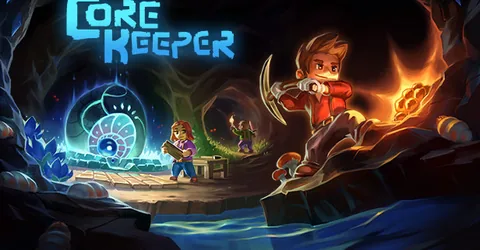
Core Keeper is a mining and crafting adventure set underground, and it is at its best with a group. Someone digs towards the next biome, someone runs the farm, someone builds the automation that keeps the base supplied. A dedicated server lets that world keep existing when the host is offline, so anyone in the group can drop in, dig for an hour and leave. This guide covers how the Core Keeper server works, how players join, what drives memory, mods, and how to get a server running on GGHOST Cloud.
What you are hosting
The Core Keeper dedicated server runs one world: the map your group has uncovered, every placed block, machine, conveyor and chest, the creatures and the bosses. It saves the world to a file in its worlds folder, in a numbered slot, so a server can keep more than one world and load the one you choose.
Core Keeper does things a little differently from most games when it comes to joining. Each server has a Game ID, a code made of letters and numbers. The server prints it in the console when it starts and writes it to GameID.txt. Players enter the Game ID in the game’s join menu, and the game connects them to the server. You can keep the same Game ID across restarts so players do not have to look it up again.
How much RAM does a Core Keeper server need?
Core Keeper is a light server compared with big 3D survival games, and there is no single right figure. What drives memory is the world, not the player count:
- How much of the map is explored. Every area your group uncovers is more world to keep track of and save.
- Automation. Long conveyor lines, drills and large farms all run on the server, and a heavy late-game base costs more than a fresh world.
- Mods. Content mods add items, creatures and systems that the server has to load.
- Players spread out. A group digging in different directions keeps more of the world active at once than a group working together.
We size Core Keeper servers with you: tell us how many players you expect, whether you run mods, and whether you are bringing a big existing world, and we recommend the memory from that. If the memory graph sits near the top at peak, size up.
On GGHOST Cloud you pay for memory, not player slots. The player limit is a setting you choose, not a line on the invoice.
World settings
When the server creates a new world, a few settings decide what kind of game it is. They are startup settings, and the important ones are:
- World name: the name of the world your players see.
- World slot: which numbered world the server loads, if you keep more than one.
- Seed: set one if you want a specific map layout, or leave it empty for a random world.
- Game mode: Normal, Hard, Creative or Casual. Hard is a tougher game for experienced groups; Creative suits building projects; Casual is a gentler game for players who want to explore without much pressure. Treat the Game ID like a password and share it only with your group.
- Max players: how many players can connect at once.
Some of these, like the seed and game mode, only apply when a world is created. Decide them before your group starts digging.
Mods: installing them safely
Core Keeper supports mods built with the official mod SDK and published on mod.io and the Steam Workshop. On a dedicated server, mods do not download themselves: you place the mod files on the server, and players install the same mods on their own game.
A few rules keep a modded server healthy:
- Server-side or both sides. Some mods only need to be on each player’s game; others need to be on the server too. Read the mod page before installing.
- Do not install client-only mods on the server. A mod built only for the player’s side can stop the server starting.
- Add the dependencies. If a mod needs another mod to work, the server needs that one as well. Dependencies are not always added for you.
- Match the game version. Mods are built for specific versions of Core Keeper, and an update can break them until their authors catch up.
Upload mods through the panel’s file manager or over SFTP, restart, and check the console for errors. Add a few at a time so a broken one is easy to spot.
Keeping the server smooth
- Restart on a schedule. Use the panel’s scheduled tasks to warn players and restart at a quiet hour.
- Update together. After a game update, the server and players need the same version. Restart the server so it updates, and check mods still load before your group comes back.
- Keep the Game ID stable. If you set it yourself, it survives restarts and reinstalls, and nobody has to ask for the new code.
- Tidy the automation. If the base starts to feel slow late in a world, huge item belts and sprawling farms are the usual cause.
Backups and saves
On GGHOST Cloud, backups run on a schedule you set and restore from the panel without opening a ticket. A daily backup plus a manual one before updates and mod changes covers most problems.
Your world is a single file in the worlds folder, which makes it easy to move. If you are bringing a world from your own PC or another host, upload the file over SFTP into the server’s worlds folder, set the server to load that world slot, and restart.
Getting a Core Keeper server on GGHOST Cloud
Core Keeper is set up on request, not through checkout yet.
- Ask us. Message us on Discord (or open a ticket) with the build, mods and player count you need, and where your players are. Singapore and Europe (France–Germany border) are live today; the United States (East, Central and West), the United Kingdom, India, Japan and Australia are available on demand.
- We size it and quote. We recommend the memory for your world and quote a monthly price. There is no setup fee and no contract, and billing is at app.gghost.cloud.
- We set it up. We build the server on our Pterodactyl panel, usually within a few days, with your world settings and mods in place.
- Share the Game ID. Copy it from the console or
GameID.txtand give it to your players. The server’s address and port are also shown in the panel.
You then have the full panel at panel.gghost.cloud: a live console, file manager, SFTP, scheduled tasks for restarts and announcements, sub-users for your group, and database access. Every node is behind DDoS protection from our network providers, on every plan, and you can change the server build, game version or startup settings from the panel and restart. Support comes from the people who run the servers, on Discord and at hello@gghost.cloud.
The short version
Players join Core Keeper with the Game ID, so keep it stable and share it once. Choose the game mode and seed before the world is created, size memory for how big your world and automation will get, install mods on the server only when they need to be there, and back up before updates. That keeps the world underground going for as long as your group keeps digging.