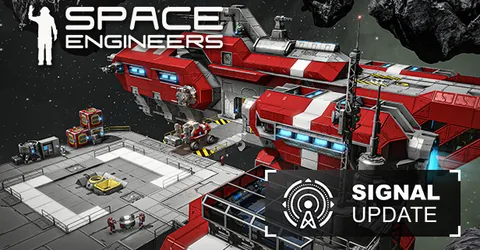
Space Engineers is a game about building ships, stations and bases out of blocks, then watching physics take over. That makes it one of the most demanding sandbox games to host: every grid, thruster, piston and moving part is simulated by the server, all the time, whether anyone is looking at it or not. A good server is one that keeps sim speed at 1.0 as the world grows, and that comes down to sensible limits, careful mod choices and solid backups. This guide covers each one, then explains how we set a server up for you on GGHOST Cloud.
How a Space Engineers dedicated server works
Keen Software House publishes a dedicated server for Space Engineers, separate from the game itself. It loads a world (a save folder) and simulates it for everyone connected: grid physics, voxel terrain, production, power, scripts and the players themselves.
Two kinds of configuration matter:
SpaceEngineers-Dedicated.cfg: the server’s own configuration, an XML file with the server name, the world to load, admin Steam IDs, Workshop mods and the session settings used for new worlds.- The world’s save folder: each world in the
Savesfolder has its ownSandbox.sbcandSandbox_config.sbc, which record that world’s settings and mods.
Hand-editing XML is easy to get wrong. A missing closing tag is enough to stop the server starting, so take a backup and change one thing at a time.
Sim speed: the number that matters
Space Engineers reports simulation speed (sim speed), the ratio of game time to real time. At 1.0 the world runs as intended. When the server cannot keep up, sim speed drops and everything slows down: ships, drills, refineries and timers. Almost every performance decision on a Space Engineers server is about keeping that number at 1.0.
How much RAM and CPU does it need?
There is no fixed table for Space Engineers, because the world itself sets the load. What drives memory and CPU:
- The number of grids and blocks. Large stations, fleets and abandoned debris all count, even when no one is near them.
- Moving parts. Pistons, rotors, wheels and connected subgrids are the most expensive things in the game to simulate.
- Planets and voxels. Planets and heavily mined terrain use a lot of memory.
- Programmable blocks and mods. Scripts and mods that run every tick add up quickly.
Physics is heavy on CPU, so a fast core makes a real difference. Tell us your world type, mod list and expected player count, and we size it with you.
On GGHOST Cloud you pay for memory, not player slots.
MaxPlayersis a value you set in the server configuration, not something we bill for.
Limits that keep the world playable
The most effective tools for a stable server are the game’s own limits. They live in the session settings of your server configuration and world.
BlockLimitsEnabledandTotalPCU: PCU (performance cost units) measure how expensive each block is. Turning on block limits and setting a PCU cap, either for the whole world, per faction or per player, stops one player’s mega-base from dragging everyone down.SyncDistance: how far away entities are sent to players. Higher values mean more work for the server; keep it as low as your gameplay allows.ViewDistance: affects procedural generation range among other things, so it matters on asteroid-field worlds.ProceduralDensity: how densely asteroids are generated. Lower density means fewer voxels to load and save.MaxFloatingObjects: the cap on loose items such as ore and components floating around. A lower number keeps physics lighter.- Trash removal settings: Space Engineers can clean up abandoned grids and debris automatically. On a public server, this is one of the most important settings to get right.
Mods and plugins
Space Engineers mods come from the Steam Workshop. You add each one by its Workshop ID to the server’s mod list, and the server downloads it on start. Players then download the same mods when they join.
- Check the mod is still maintained. Game updates regularly break older mods, and a broken mod can stop the world loading.
- Prefer block and cosmetic mods to heavy script mods. Mods that run code every tick have the biggest effect on sim speed.
- Add mods to a backup, not a live world. Removing a mod later can leave broken blocks behind, so test new mods on a copy of the world first.
Some communities also run Torch, a community server wrapper that adds a plugin system and extra admin tools. If you want to run Torch or specific plugins, tell us when you ask for the server so we can check it suits your setup.
Performance tips for Space Engineers
- Set PCU limits before the world fills up. Introducing limits on a world where players already exceed them causes arguments; start with them on.
- Clean up regularly. Debris from battles, abandoned ships and forgotten drones all cost simulation time. Use trash removal or manual cleanup sessions.
- Discourage complex subgrid builds on public servers. Large piston and rotor contraptions are fun and are also the most common cause of sim speed drops and physics glitches.
- Watch programmable block scripts. A script running every tick on dozens of grids adds real load. Ask players to use update frequencies sensibly.
- Restart on a schedule. A daily restart, with an announcement before it, keeps long-running worlds healthy. Set both as scheduled tasks in our panel.
Backups: protecting the save
Space Engineers worlds can grow into months of shared building, and a corrupted save is the worst thing that can happen to a server. The dedicated server autosaves on an interval set by AutoSaveInMinutes, but an autosave is not a backup.
On GGHOST Cloud, backups run on a schedule you set and restore from the panel without opening a ticket. Back up before game updates, before adding or removing mods, and before changing world settings. If you are moving from another host or from a local world, upload the save folder over SFTP and we can load it as the server’s world.
Getting your Space Engineers server on GGHOST Cloud
Space Engineers is set up on request at the moment, rather than ordered through checkout.
- Ask us on Discord (or open a ticket) with your world type, mod list and expected player count, and whether you are bringing an existing save.
- We size it and quote a monthly price based on what you plan to run.
- We set it up on our Pterodactyl panel, usually within a few days. Singapore and Europe (France–Germany border) are live today; the United States (East, Central and West), the United Kingdom, India, Japan and Australia are available on demand.
- Connect. Your server address and port are shown in the panel; players join through the in-game server browser or by adding the address directly.
You get the full panel: live console, file manager, SFTP, scheduled tasks for restarts and announcements, sub-users for your admins and database access. Every node is behind DDoS protection from our network providers, on every plan, and you can change the server build or startup flags from the panel and restart. No setup fee, no contract; billing is at app.gghost.cloud, and support comes from the people who run the servers, on Discord and at hello@gghost.cloud.
The short version
Watch sim speed, and protect it with PCU and block limits, a modest sync distance and trash removal from day one. Keep mods lean and maintained, test them on a copy of the world, restart daily, and take a backup before every update or mod change.